
Create a Professional HTML Email Signature
Build a clean, branded email signature for Outlook, Gmail and other major email clients. Use our free generator yourself, or let Advanced Solutions design, test and prepare a complete signature system for your business or team.
Build Your Email Signature
Add your details, choose a layout and preview your signature instantly. No registration required. Start with the compatibility-first layout or add your logo for a more branded result.
Signature details
Logo
Calls to action
A — no-image maximum compatibility.
A+ — single-column with logo; recommended default.
B — premium two-column design.
C — compact reply signature.
D — branded signature with promotional banner.
How the Free Generator Works
Create a professional signature in three simple steps.
Add Your Details
Enter your contact information, website and brand colour. Add a hosted logo if you want a branded version.
Choose a Layout
Select a maximum-compatibility, logo, premium two-column or compact reply layout and preview it instantly.
Copy or Download
Copy the finished signature for your email settings, or download the HTML if you need the source file.
Want Us to Do It for You?
The free generator is ideal for creating a professional signature yourself. If you need a bespoke design, compatibility review, installation assistance, team consistency or campaign-ready assets, Advanced Solutions can prepare the complete signature system for you.
Bespoke Design
Designed around your real brand rather than a preset layout.
Compatibility Review
Prepared with Outlook, Gmail and common mobile email environments in mind.
Installation Support
Guidance getting the approved signature installed and tested correctly.
Team Deployment
Consistent personalised versions for multiple employees and departments.
More Than Just Contact Details
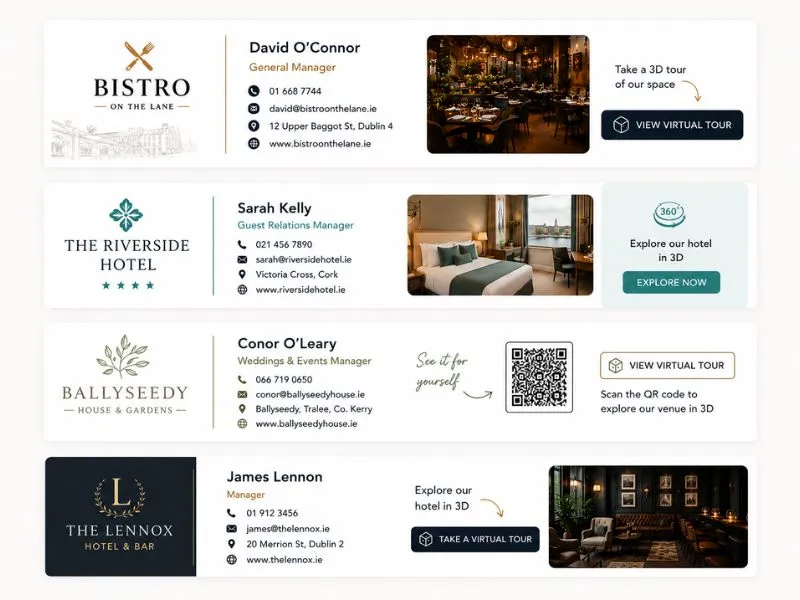
A professional email signature helps your business look more established, improves consistency across your team, and creates more opportunities to promote services, campaigns, virtual tours, offers or branded content inside everyday communication.
Professional Branding
Create a stronger first impression with a clean, branded signature that feels consistent with your website and visual identity.
Marketing Opportunity
Add CTA links, banners, QR codes, virtual tours, booking links, social profiles or promotions.
Consistent Team Presentation
Give every team member a consistent branded signature while keeping names, roles and contact details personalised.
Built for Businesses of Every Size
Professional email signatures can strengthen day-to-day communication for sole traders, SMEs, professional services, property businesses, retail, ecommerce, hospitality, venues and larger teams.
- ✓ Professional services and consultants
- ✓ Restaurants, hotels and hospitality groups
- ✓ Property, real estate and construction
- ✓ Retail and ecommerce businesses
- ✓ SMEs and multi-person teams
Compatibility-First HTML Email Signatures
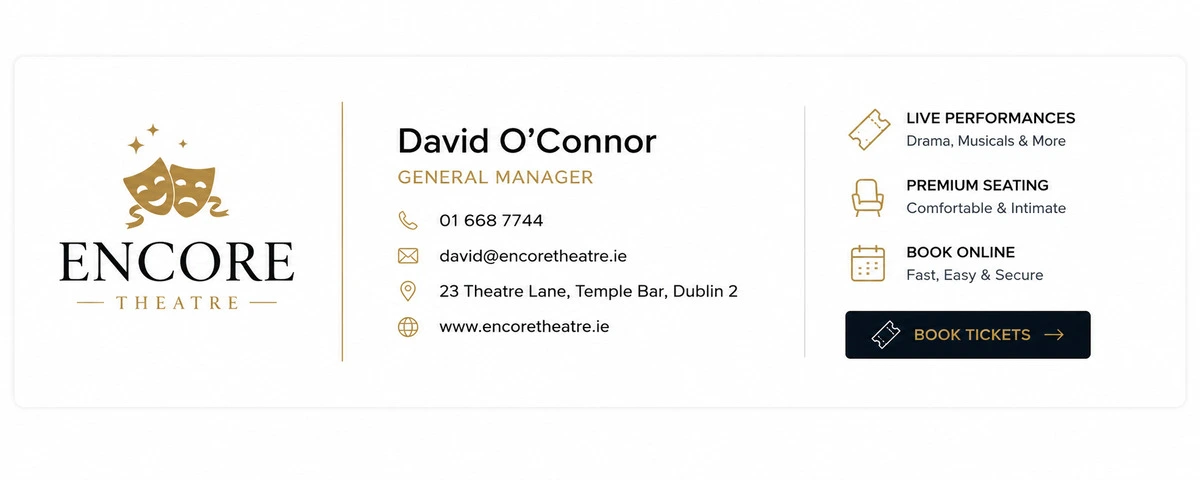
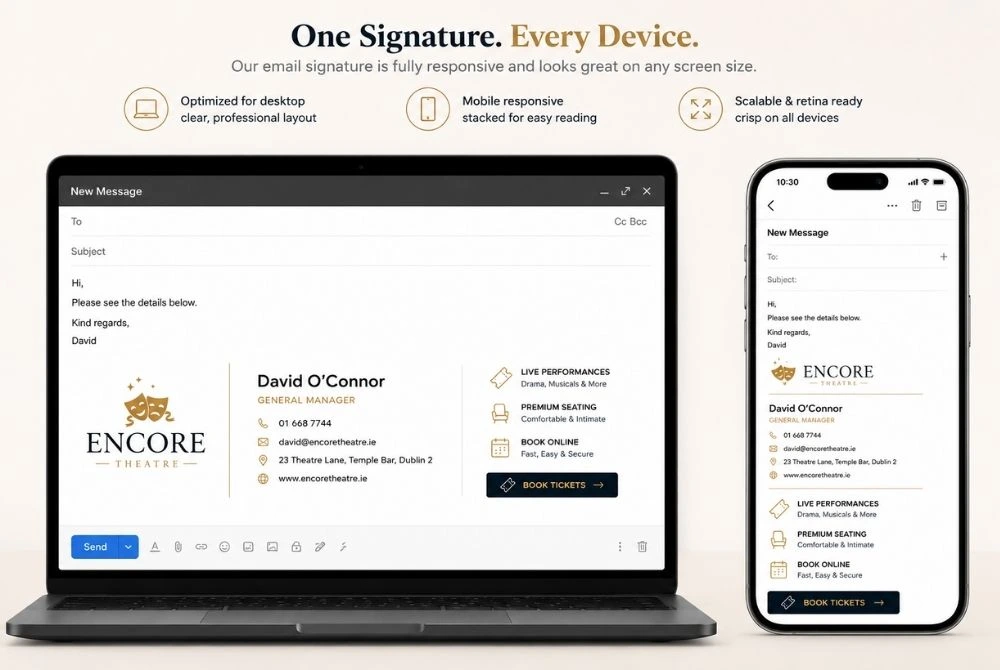
Email clients do not all render HTML in the same way. Outlook, Gmail, Apple Mail and mobile applications can interpret layouts and styling differently. We therefore build around email-safe structures rather than website-style code.
- ✓ Email-safe table structures
- ✓ Inline CSS for essential styling
- ✓ Outlook-conscious layouts
- ✓ Mobile-friendly dimensions
- ✓ Clickable contact information and CTA links
- ✓ Compatibility review for professional builds
We often combine signatures with newsletter campaigns, dynamic QR codes, and broader branding assets to create a more connected digital presentation.
Designed for Real Business Communication
Email signatures should feel like a natural extension of your website, branding and customer experience — not an afterthought.
Professional builds can combine signatures with virtual tours, QR codes, newsletter campaigns or seasonal marketing banners.
Free Generator vs Professional Service
The free tool is excellent for DIY use. The professional service is for businesses that need a bespoke, tested and supported result.
| Feature | Free Generator | Professional Service |
|---|---|---|
| Create HTML signature | ✓ | ✓ |
| Multiple proven layouts | ✓ | ✓ |
| Add your logo and brand colour | ✓ | ✓ |
| Bespoke brand-led design | — | ✓ |
| Email-client compatibility review | — | ✓ |
| Installation assistance | — | ✓ |
| Multi-person team setup | — | ✓ |
| Campaign / promotional banners | — | ✓ |
| Bespoke layouts and advanced integrations | — | ✓ |
| Ongoing support and future updates | — | ✓ |
Professional Email Signature Solutions
The free generator is available for DIY use. Choose a professional option when you want a bespoke design, compatibility review, installation support or a consistent team-wide setup.
Professional Signature Design
Bespoke signature design and implementation for one person or business owner.
- Bespoke design based on your brand
- Professionally prepared HTML
- Logo and image optimisation
- Clickable contact details and CTAs
- Compatibility review
- One revision round
- Installation guide
Business Team Setup
Best for businesses that want one approved design personalised consistently across a small team.
- Bespoke master signature design
- Up to 7 personalised staff signatures
- Consistent company branding
- Role and contact variations
- Promotional banner if required
- Compatibility review
- Installation guidance
Advanced Signature System
For larger teams, recurring campaigns, department variations and managed signature systems.
- Larger Microsoft 365 / Google Workspace teams
- Campaign and promotional banners
- Department and role variations
- New starter / staff update workflows
- Advanced custom layouts
- Ongoing management and support
Optional Enhancements
Need updates later? We can support new staff members, contact detail changes, campaign banners and company rebranding.
How to Install Your Email Signature
Once you have copied your signature, add it through your email client's signature settings and send yourself a test email.
Gmail
Open Gmail signature settings, create a new signature, paste the copied signature, choose your default sender settings and save your changes.
Outlook
Open the signature settings for your version of Outlook, create or edit a signature, paste your result, assign it to the correct account and test it.
Apple Mail
Open Mail signature settings, create a signature for the correct account, paste your result and send a test message to confirm the layout.
Menu names can differ between email-client versions. If you purchase a professional signature, we can provide installation guidance for your setup.
Email Signature FAQs
Common questions about HTML signatures, Outlook compatibility and the free generator.
Will my signature look identical in every email client?
No email-signature provider can guarantee pixel-identical rendering everywhere. Outlook, Gmail, Apple Mail and mobile clients use different rendering engines. The aim is a clean, readable and professional result across the environments that matter.
Can I add my company logo?
Yes. The free generator supports a hosted logo URL. For best reliability, use an optimised image hosted over HTTPS, ideally on your own domain.
Why can Outlook display HTML signatures differently?
Different Outlook versions do not all use the same rendering engine. Some versions support modern HTML differently from Gmail or browser-based email clients, which is why compatibility-first table layouts and inline styling are important.
Can you create signatures for our whole team?
Yes. We can create an approved master design and personalise it for individual staff names, roles, contact details, departments and campaign requirements.
Do I need to understand HTML to use the free generator?
No. Fill in your details, choose a layout and use the Copy Signature option. HTML remains available as an advanced option if you or your IT provider need the source code.
Need More Than the Free Generator?
From bespoke individual signatures to consistent company-wide systems, Advanced Solutions can design, prepare and support professional email signatures built around your business.